
-
System General
General system navigation
-
Code Tables
Common code table setup
-
Pre-Production
Style design, Bill of Material (BOM)
-
Production
Production related (Material PO, CUT/PO, etc.)
-
Distribution
Sales order, fulfillment, etc.
- Add new inventory from file
- Drill down approach
- Export customer address
- How to adjust product inventory
- How to receive RMA
- How to transfer between warehouse
- How to zero out entire inventory of selected warehouse
- How to zero out inventory
- Instant open order report
- Line-Sheet print
- Product inventory order allocation (Priority based allocation)
- Sales Order entry
- Sales Order item close (apply to all orders)
-
Accounting
Invoice, RMA, Return Credit, Debit, AR
-
Report
Report creation
-
Utilities
Tools to provide improve productivity
-
How To..
Category description
- Add new inventory from file
- Change password
- Create RMA for return
- How to add a new Journal Entry (Credit/Debit)
- How to add new UPC codes
- How to add payment record using credit memo
- How to adjust product inventory
- How to receive RMA
- How to run AP (Accounts Receivable) Open Bill Report
- How to zero out entire inventory of selected warehouse
- How to zero out inventory
- Instant open order report
AP modules
There are three modules to support supplier’s bill payment recording
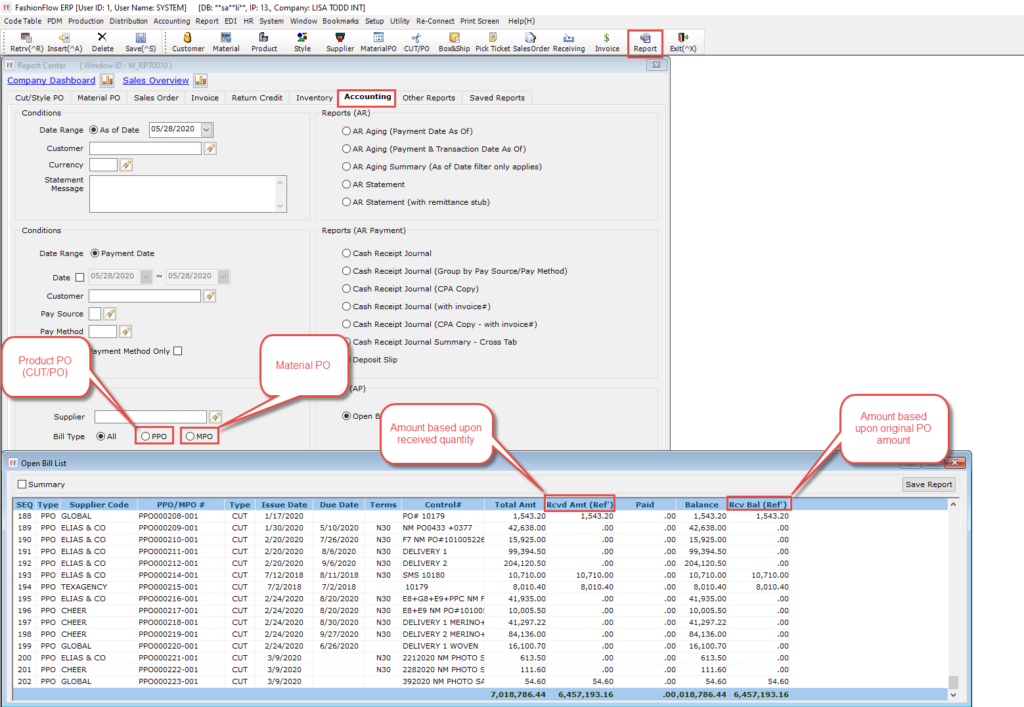
[1. Open Bill Report]
This is where you can pull open bill report with balance,
* PPO = CUT/PO, MPO = Material PO
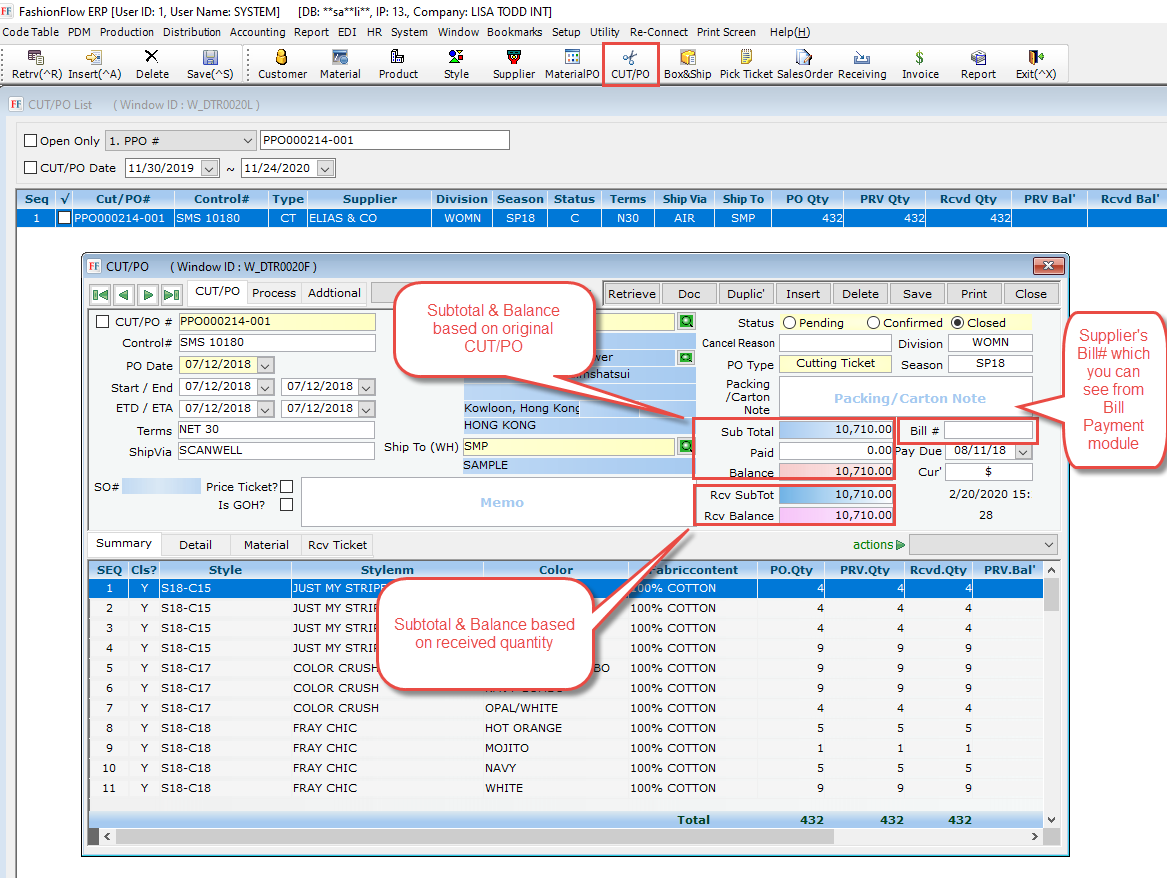
[2. PPO – CUT/PO]
You can find subtotal based on original PO amount as well as received quantity based subtotal which can be different and also here you can enter supplier’s bill number so you can see it from “Bill Payment” module
[3. Bill Payment module]
This is the Bill Payment module where you can record your bill payment history so your “Open Bill” report balance is being reduced

0 out Of 5 Stars
| 5 Stars | 0% | |
| 4 Stars | 0% | |
| 3 Stars | 0% | |
| 2 Stars | 0% | |
| 1 Stars | 0% |